

 Laptops
 Phones & tablets
 Desktops
 Computer Parts
 Accessories
You're planning to open a new office, expand your business, or equip your employees with computers in Nigeria.
One of the first decisions you'll face is whether to buy laptops or desktop computers.
Should you buy five laptops for your employees? Or would five desktop computers be a better investment?
At first, the answer may seem obvious. Laptops are portable, while desktops usually remain in one location. But there's more to consider, especially when running a business in Nigeria.
Electricity supply, available workspace, computer performance, maintenance costs, employee mobility, and the type of work your team performs can all influence the decision.
Choosing the right computer can help your business operate more efficiently and avoid unnecessary expenses.
In this guide, we'll compare laptops and desktops for Nigerian businesses, explain their advantages and disadvantages, and help you choose the best option for your office, shop, school, or home workspace.
1. What Is the Difference Between a Laptop and a Desktop Computer?
A laptop is a portable computer that combines its screen, keyboard, touchpad, battery, and main computing components into one device.
A desktop computer is designed primarily for use in a fixed location. Traditional desktops typically connect to a separate monitor, keyboard, and mouse.
There are also all-in-one desktops that integrate the computer into the monitor housing, as well as mini PCs that offer desktop functionality in a compact design.
Both laptops and desktops can perform everyday business activities such as:
- Microsoft Word, Excel, and PowerPoint.
- Accounting and bookkeeping.
- Inventory and stock management.
- Customer service and email communication.
- Online meetings and presentations.
- Sales reporting and business analysis.
- Web browsing and cloud-based business applications.
- Graphics, video editing, and other professional tasks when appropriately configured.
The best choice depends on how and where these activities will be performed.
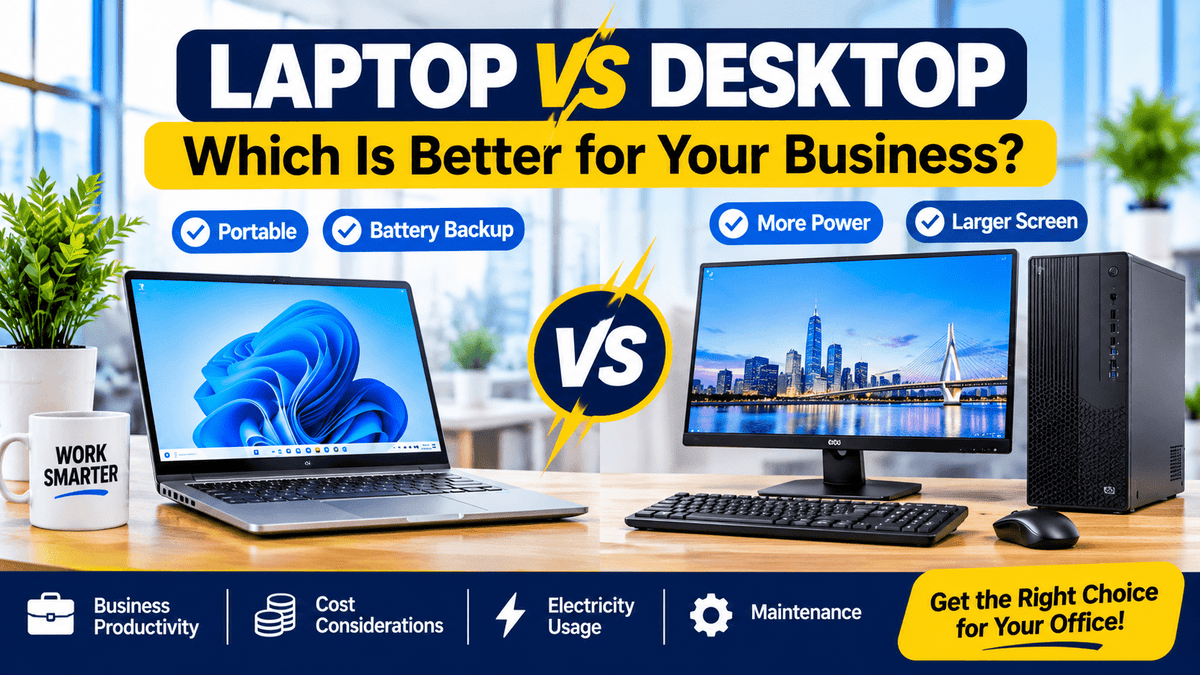
2. Laptop vs Desktop: Quick Comparison for Nigerian Businesses
| Feature | Laptop | Desktop |
|---|---|---|
| Portability | Easy to carry | Usually stays in one location |
| Battery backup | Built-in battery | External backup required |
| Desk space | Compact | Varies by design |
| Screen size | Usually smaller built-in screen | Flexible monitor sizes |
| Upgradeability | Often limited | Often more flexible |
| Repairs | Some components are integrated | Separate components can be easier to service |
| Electricity consumption | Often lower | Varies widely; some use more |
| Performance | Depends on configuration | Depends on configuration |
| Best use | Mobile and flexible work | Fixed workstations |
These are general differences. A compact mini desktop, for example, may consume less electricity than a powerful gaming laptop. Always compare the exact devices.
3. Which Is Better During Power Outages in Nigeria?
Electricity is one of the most important considerations when choosing computers for a business in Nigeria.
Imagine your accountant is preparing payroll or your customer service agent is responding to an important customer when electricity suddenly goes off.
What happens next?
Advantage of Laptops
A laptop has a built-in battery, allowing it to continue operating during a power interruption if the battery is sufficiently charged and in good condition.
This can be particularly useful for:
- Business owners working from home.
- Accountants processing financial records.
- Students attending online classes.
- Customer service agents responding to inquiries.
- Professionals participating in online meetings.
However, laptop battery life depends on battery health, screen brightness, workload, and power settings.
A used laptop with a weak battery may provide much less backup time than expected.
What About Desktops?
Conventional desktop computers generally stop operating when their power supply is interrupted.
To maintain operation, you may need a suitable UPS, inverter, battery backup system, or generator.
A UPS can also provide time to save documents and shut down properly.
Remember that the monitor and networking equipment may also need backup power.
4. Are Desktop Computers Cheaper Than Laptops in Nigeria?
Not necessarily.
Some desktop computers offer strong performance at attractive prices, but comparing only the price of the computer unit can be misleading.
A complete desktop workstation may require:
- Desktop system unit or mini PC.
- Monitor.
- Keyboard and mouse.
- Power cables and adapters.
- UPS or another backup power solution.
- Additional accessories where necessary.
A laptop already includes a screen, keyboard, pointing device, and battery.
Therefore, you should compare the total cost of a usable workstation, not just the price of the system unit.
Example: Setting Up an Office With Five Employees
Suppose you're opening an office with five staff members.
You could purchase five laptops or five desktop workstations.
Before deciding, calculate:
Total Laptop Setup Cost
5 × laptop price + required accessories + networking + maintenance provision
Total Desktop Setup Cost
5 × (desktop + monitor + keyboard + mouse + required backup power) + networking + maintenance provision
Also consider future electricity costs, servicing, upgrades, and employee movement.
The cheaper option today may not always be the most economical over several years.
5. Laptop vs Desktop Performance: Which Is Faster?
Many people assume that a desktop computer is always faster than a laptop.
That is not correct.
Performance depends on the processor, RAM, storage, cooling system, graphics hardware, and the applications being used.
Desktop processors can sometimes deliver higher sustained performance because their systems may have greater cooling capacity and power allowances.
However, a newer laptop with an SSD and sufficient RAM can easily outperform an older desktop with a slow hard drive.
For everyday office work, a reasonably modern computer with 8GB RAM and a 256GB SSD can provide a practical starting point.
For heavier multitasking, large spreadsheets, creative applications, or specialized business software, 16GB RAM or more may be preferable.
Don't compare Core i5 and Core i7 names alone. Compare the exact processor models and complete specifications.
6. Which Is Better for Office Work and Accounting?
For accounting, payroll, spreadsheets, invoicing, and general administration, both laptops and desktops can work well.
Choose a Laptop If:
- You move between branches or client locations.
- You sometimes work from home.
- You attend meetings and need your files with you.
- Electricity interruptions are frequent.
- You have limited desk space.
Choose a Desktop If:
- You work from the same desk every day.
- You prefer a large monitor for spreadsheets.
- Your office has dependable backup electricity.
- You want a permanent workstation.
- You need an easily replaceable keyboard, mouse, or monitor.
For accounting offices, a desktop with a large Full HD monitor can make it easier to view spreadsheets and reports.
However, a laptop connected to an external monitor can provide a similar desk experience while retaining portability.
7. Which Is Better for Retail Shops, POS and Inventory Management?
Retail businesses often use computers for inventory tracking, invoices, sales reports, barcode scanners, and customer records.
For a fixed cashier or inventory desk, a compact desktop may be a practical option.
It can remain connected to a monitor, keyboard, barcode scanner, receipt printer, and other peripherals.
A laptop may be preferable for the store manager or business owner who needs to move between departments or branches.
Example: A Computer Store With Multiple Departments
Imagine a computer store with separate sales, inventory, customer service, and management departments.
A sensible setup might include:
- Sales counters: Compact desktops for order entry and sales records.
- Inventory department: Desktops with larger monitors for stock management.
- Customer service: Laptops or desktops depending on staff mobility.
- Management: Laptops for meetings, reporting, and branch visits.
- Media department: Higher-performance computers selected according to editing and production requirements.
This approach avoids buying the same type of computer for every employee when their responsibilities are different.
Setting Up a Business Office?
Shopinverse offers desktop computers and business laptops suitable for different office responsibilities.
Compare available models, display sizes, storage, and processor specifications before purchasing.
8. Laptop vs Desktop for Schools and Computer Training Centres
Schools, ICT centres, and computer training organisations often need several computers operating in the same location.
Desktops may be suitable because they can provide permanent workstations with separate keyboards, mice, and monitors.
They can also be easier to arrange consistently across a computer laboratory.
However, laptops may be useful where students move between classrooms or where the institution needs flexible teaching arrangements.
For either option, consider:
- Number of students per session.
- Required educational software.
- Available electrical backup.
- Network connectivity.
- Security and physical storage.
- Maintenance arrangements.
- Accessibility and comfortable desk layouts.
For basic computer training, a system with 8GB RAM and SSD storage can be a practical starting point, provided it supports the required software.
9. Which Is Better for Graphic Design and Video Editing?
Graphic designers, photographers, video editors, and content creators often need more processing power, RAM, storage, and sometimes dedicated graphics hardware.
A desktop can be attractive for demanding creative work because some models offer better cooling, upgrade flexibility, and the ability to use large, colour-accurate monitors.
However, a suitable workstation laptop can also handle professional creative applications.
Choose a laptop if you frequently edit videos on location, attend client shoots, or work in different locations.
Choose a desktop if most of your editing takes place in a permanent studio and you want a larger workstation setup.
Important: Neither a laptop nor a desktop is automatically suitable for professional video editing. Check the processor, graphics, RAM, storage, and requirements of your editing software.
10. Are All-in-One Desktops Better Than Traditional Desktops?
An all-in-one computer combines the main computer components and display into a single unit.
It can provide a cleaner desk arrangement with fewer visible cables.
All-in-one desktops may be suitable for reception areas, customer service desks, offices, and homes where appearance and space-saving matter.
However, some all-in-one computers offer fewer repair or upgrade options than conventional desktop towers.
Another option is a mini desktop connected to a compatible monitor.
Example: Lenovo ThinkStation P330 Tiny-in-One
The Lenovo ThinkStation P330 Tiny-in-One combines a compact desktop computer with a compatible 21.5-inch Full HD monitor.
Its small computer unit fits into the rear of the compatible Tiny-in-One monitor, providing an integrated workstation appearance.
A configuration with an 8th Generation Intel Core i3 processor, 8GB RAM, and 500GB HDD is designed for general business and office activities.
For improved responsiveness, an appropriate SSD upgrade is worth considering.
This type of setup can be useful for reception desks, accounting offices, inventory departments, and customer service workstations.
View Lenovo ThinkStation P330 Tiny-in-One →
11. Which Uses Less Electricity: Laptop or Desktop?
Laptops often consume less electricity than conventional desktop workstations performing similar light tasks, but actual power use varies by model and workload.
A desktop's electricity consumption includes its system unit and external monitor.
A powerful workstation desktop may consume considerably more power than a lightweight business laptop.
However, compact mini desktops can also be energy-efficient.
How to Compare Electricity Costs
You can estimate energy use with this formula:
For illustration, assume:
- A laptop averages 40 watts during use.
- A desktop and monitor together average 100 watts.
- Both operate for 8 hours daily over 26 working days.
The estimated monthly electricity consumption would be:
| Device | Illustrative average power | Monthly energy |
|---|---|---|
| Laptop | 40W | 8.32 kWh |
| Desktop + monitor | 100W | 20.8 kWh |
These figures are examples, not measured consumption for specific products.
To estimate electricity cost, multiply the monthly energy consumption by your applicable electricity tariff per kWh.
For businesses running many computers, electricity consumption can become an important part of operating costs.
12. Which Is Easier to Repair and Upgrade?
Desktop computers often have an advantage when it comes to replacing individual components.
Depending on the model, desktop RAM, storage drives, power supplies, graphics cards, and other parts may be accessible and replaceable.
Laptops are more compact, and some models have soldered memory or tightly integrated components.
However, many business-class laptops still support SSD replacement and, in some cases, RAM upgrades.
All-in-one desktops and mini PCs can also have upgrade limitations, so don't assume every desktop is fully upgradeable.
Before buying, ask:
- Can the RAM be upgraded?
- Can the storage drive be replaced?
- Are replacement parts available?
- Can the monitor be replaced separately?
- Is the computer easy to service?
These questions are especially important for businesses planning to use their computers for several years.
13. Best Laptop and Desktop Options for Small Businesses in Nigeria
Here are some practical categories to consider when shopping for office computers.
Option 1: HP EliteBook Business Laptops
HP EliteBooks are designed for business productivity and are available in different screen sizes and processor configurations.
Models such as the HP EliteBook 840 G7 and 830 G7 can be suitable for office work, accounting, presentations, and business management.
Best for: Business owners, office managers, accountants, and employees who need portability.
Option 2: Lenovo ThinkPad Business Laptops
Lenovo ThinkPads are widely used for professional productivity.
Models such as the ThinkPad T14 Gen 1 can be suitable for office applications, web-based business systems, reporting, and multitasking.
Best for: Managers, analysts, remote workers, and business professionals.
Option 3: Lenovo ThinkStation P330 Tiny-in-One
This compact desktop workstation offers a 21.5-inch Full HD display and an integrated Tiny-in-One design.
Best for: Fixed office desks, reception areas, retail operations, and school administration.
View Lenovo ThinkStation P330 →
Option 4: HP EliteDesk Desktop Workstations
HP EliteDesk systems are designed for business environments and are available in different form factors.
Shopinverse also offers desktop-and-monitor configurations that may be useful for permanent office workstations.
Best for: Office departments, accounting workstations, administrative staff, and businesses requiring desktop setups.
Find the Right Computer for Your Business
Shopinverse offers a selection of professionally tested pre-owned laptops and desktop computers from HP, Dell, Lenovo, and other manufacturers.
Compare specifications, available configurations, and product conditions before choosing your office computers.
14. Laptop vs Desktop: Which Should Different Businesses Choose?
| Business type | Practical recommendation | Main reason |
|---|---|---|
| Retail shop | Desktop for fixed counter; laptop for manager | Permanent workstation plus mobility |
| Accounting firm | Desktop or laptop with external monitor | Comfortable spreadsheet work |
| School ICT laboratory | Desktops often practical | Consistent fixed workstations |
| Freelancer | Laptop | Flexible working locations |
| Customer service centre | Desktop or laptop | Depends on fixed seating and backup power |
| Video production studio | High-performance desktop or workstation laptop | Performance and workflow needs |
| Small business owner | Laptop often convenient | Meetings, mobility, and battery backup |
These are starting recommendations. Your budget, software requirements, electricity arrangements, and daily operations should determine the final choice.
15. Seven Questions to Ask Before Buying Computers for Your Business
- Will the computer stay in one location? A permanent desk may favour a desktop.
- Do employees need to move around? A laptop may be more convenient.
- How reliable is the electricity supply? Consider battery backup and UPS requirements.
- What software will the computer run? Match hardware to the actual workload.
- How much desk space is available? Compare laptops, mini desktops, and all-in-one designs.
- What is the full purchase and maintenance budget? Include accessories, electricity, and repairs.
- Will the business expand? Consider upgrades, additional monitors, networking, and future staffing.
Answering these questions can help you avoid purchasing computers that are either unnecessarily expensive or unsuitable for your work.
16. Frequently Asked Questions
Is a desktop better than a laptop for office work?
Both can be suitable. Desktops are practical for permanent workstations, while laptops offer portability and built-in battery backup. The better choice depends on your office operations.
Which is cheaper in Nigeria: laptop or desktop?
It depends on the specifications and what is included. Compare the full desktop setup, including monitor and accessories, with a laptop of similar capability.
Do desktop computers consume more electricity than laptops?
Many traditional desktop setups consume more power than lightweight laptops, but this is not universal. Actual consumption depends on the hardware and workload.
Can a desktop work without electricity?
A conventional desktop requires an external power source. A properly sized UPS or backup system can keep it operating during an outage.
Can I use a laptop like a desktop computer?
Yes. Many laptops can connect to an external monitor, keyboard, mouse, and docking station, depending on their ports and capabilities.
Are desktops easier to upgrade?
Many traditional desktop towers offer greater upgrade flexibility than laptops. However, mini PCs and all-in-one desktops may have limitations.
Is an all-in-one desktop good for business?
Yes, it can be suitable for reception, administration, customer service, and other fixed workstations. Check performance, serviceability, and upgrade options before buying.
Which is better for a POS business?
A compact desktop can be useful for a fixed sales counter, while a laptop may suit a mobile business owner. Check compatibility with the POS software and peripherals.
Should a small business buy laptops for every employee?
Not necessarily. Employees with fixed responsibilities may be well served by desktops, while managers and mobile staff may benefit from laptops.
Where can I buy business laptops and desktop computers in Nigeria?
Explore business laptops and desktop computers at Shopinverse.
Final Verdict: Laptop or Desktop — Which Is the Smarter Investment?
There is no single winner for every business.
If portability, flexibility, and battery backup are your priorities, a laptop may be the smarter choice.
If you need permanent workstations, large monitors, and certain upgrade or servicing advantages, a desktop may be more suitable.
For businesses with different departments, a combination of laptops and desktops can deliver better value than purchasing the same computer for everyone.
The smartest investment is the computer that matches your employees' responsibilities, operating environment, and business budget.
Equip Your Business With the Right Computers
Shopinverse offers a range of business laptops, desktop computers, and workstations suitable for different productivity needs.
Explore available configurations and choose computers that support your daily operations.
Editor's note: Computer specifications, product availability, and prices may change. Confirm the exact configuration and software requirements before purchasing. Power consumption examples are illustrative, not measured product specifications.
Share: