

 Laptops
 Phones & tablets
 Desktops
 Computer Parts
 Accessories
Your laptop has 8GB RAM, and you've noticed that it becomes slow whenever you open several browser tabs, Microsoft Excel, Zoom, or other applications.
Someone recommends upgrading to 16GB RAM. You start searching for laptop memory prices in Nigeria, but there's an important question you should answer first:
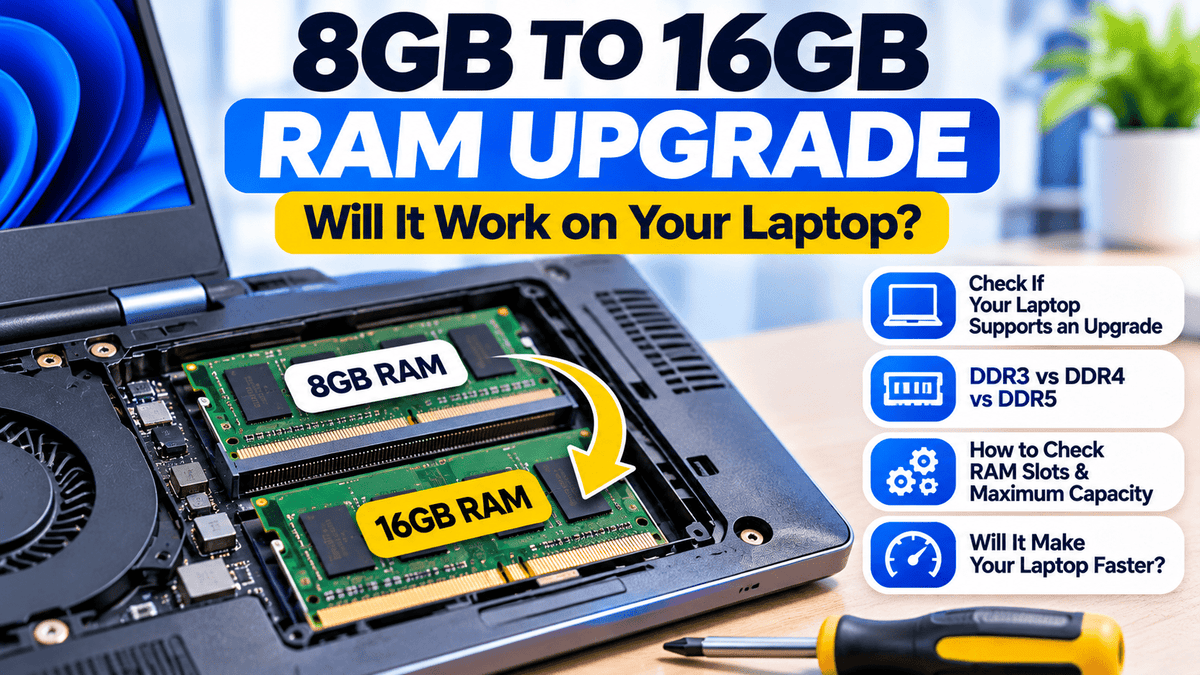
Can your laptop actually support a RAM upgrade?
Not every laptop can be upgraded. Some laptops have removable memory modules, others have RAM permanently soldered to the motherboard, and some combine both designs.
Buying the wrong RAM can waste your money, while upgrading a laptop that doesn't need more memory may produce little noticeable improvement.
In this guide, we'll explain how to check whether your laptop supports 16GB RAM, understand DDR3, DDR4, and DDR5 compatibility, identify memory slots, and decide whether upgrading is worth the cost.
1. What Is RAM, and Why Does It Matter?
RAM stands for Random Access Memory. It temporarily holds information that your laptop's processor and running applications need to access quickly.
When you open applications such as Chrome, Microsoft Word, Excel, Photoshop, or Power BI, they use RAM.
Having enough RAM allows your laptop to keep more active information in memory without relying as heavily on slower storage.
However, RAM is different from your SSD or hard drive.
- RAM: Temporary working memory used by active applications.
- SSD: Permanent storage for Windows, applications, documents, photos, and other files.
- Processor: Performs calculations and executes instructions.
Upgrading RAM increases available working memory. It does not directly increase processor speed or replace an SSD.
2. Is 8GB RAM Enough for a Laptop?
For many basic activities, 8GB RAM can still be sufficient.
Examples include:
- Browsing the internet with a modest number of tabs.
- Typing documents in Microsoft Word.
- Watching online videos.
- Attending online classes.
- Managing emails.
- Working with relatively small spreadsheets.
However, 8GB may become limiting when you regularly run several applications simultaneously or work with memory-intensive software.
For example, an accountant might open multiple Excel workbooks, a browser with several tabs, and accounting software at the same time.
A student learning programming might run a code editor, browser, database, and development tools simultaneously.
In these situations, moving from 8GB to 16GB may provide a more comfortable experience.
3. What Are the Benefits of Upgrading From 8GB to 16GB RAM?
Better Multitasking
With additional RAM, your laptop may handle more simultaneously running applications without exhausting available memory.
Fewer Slowdowns During Heavy Usage
When RAM becomes insufficient, Windows may move some memory contents to storage. This can cause delays when switching between applications.
Additional RAM can reduce this pressure when memory capacity is the bottleneck.
Improved Performance in Certain Applications
Software such as Power BI, Photoshop, development environments, and large spreadsheet applications can benefit from additional memory when their workloads require it.
More Room for Future Workloads
16GB RAM may provide more flexibility as your software requirements and multitasking needs increase.
4. 8GB vs 16GB vs 32GB RAM: Which Should You Choose?
| RAM capacity | Suitable workloads | Recommendation |
|---|---|---|
| 8GB | Browsing, documents, basic office work | Good for lighter workloads |
| 16GB | Multitasking, programming, moderate creative work, business applications | Practical target for many users |
| 32GB | Large datasets, virtual machines, demanding creative projects | Consider for heavier workloads |
These are general buying recommendations rather than fixed requirements for every application.
5. How to Check Your Laptop's Installed RAM on Windows
Before buying additional RAM, confirm how much memory is already installed.
Method 1: Check Windows Settings
- Open the Start menu.
- Select Settings.
- Go to System → About.
- Look for Installed RAM.
You may see information such as 8GB RAM or 16GB RAM.
This tells you the installed capacity but does not confirm whether the RAM is removable.
Method 2: Check Task Manager
- Press Ctrl + Shift + Esc.
- Open Performance.
- Select Memory.
Depending on the system, Windows may display:
- Total installed RAM.
- Current memory usage.
- Memory speed.
- Form factor.
- Slots used.
For example, you might see:
Installed RAM: 8GB
Speed: 2667 MT/s
Slots used: 1 of 2
This could suggest that one memory slot is available, but Task Manager information is not always complete or accurate for every laptop.
Always confirm the memory layout using the manufacturer's documentation for your exact model.
6. How to Know Whether Your Laptop RAM Can Be Upgraded
Laptops generally use one of three memory arrangements.
Type 1: Removable RAM
Some laptops have one or more memory slots containing removable RAM modules.
These modules can be replaced or supplemented with compatible memory, subject to the laptop's supported capacity.
For example, a laptop with one 8GB module and an empty compatible slot may support adding another 8GB module.
Type 2: Soldered RAM
Some slim laptops have memory chips permanently attached to the motherboard.
If the laptop has 8GB soldered RAM and no additional memory slot, it generally cannot be upgraded to 16GB through normal consumer servicing.
This arrangement is common in some thin-and-light laptops, ultrabooks, and certain convertible models.
Type 3: Soldered RAM Plus an Expansion Slot
Some laptops combine built-in memory with a removable RAM slot.
For example, a laptop may have 8GB soldered RAM plus an empty slot that supports an additional compatible module.
In this case, upgrading to 16GB or another supported total capacity may be possible.
| Memory arrangement | Upgradeable? |
|---|---|
| Removable RAM with a free compatible slot | Usually, within supported limits |
| Removable RAM with all slots occupied | Possibly, by replacing existing modules |
| Fully soldered RAM without expansion | No conventional upgrade |
| Soldered RAM plus expansion slot | Possibly, if the slot supports additional memory |
7. How to Find Your Laptop's Maximum Supported RAM
Even if your laptop has removable RAM, it may have a maximum supported memory capacity.
For example, some laptop configurations support up to 16GB, while others support 32GB, 64GB, or different limits.
To check your laptop's memory specifications:
- Identify the exact laptop model, product number, or service tag.
- Visit the manufacturer's official support website.
- Find the technical specifications or service manual.
- Locate the memory section.
- Check supported RAM capacity, type, speed, and number of slots.
Useful manufacturer resources include:
Memory compatibility tools from established memory manufacturers can provide additional guidance, but the exact laptop documentation should remain your primary reference.
8. DDR3 vs DDR4 vs DDR5 RAM: What's the Difference?
DDR stands for Double Data Rate. DDR3, DDR4, and DDR5 are different generations of computer memory.
Newer generations generally support higher transfer rates and other architectural improvements, but they are not interchangeable.
| Memory type | Typical laptop usage | Compatibility |
|---|---|---|
| DDR3 / DDR3L | Many older laptops | Requires supported DDR3-family memory |
| DDR4 | Many business laptops | Requires a compatible DDR4 slot |
| DDR5 | Many newer laptop platforms | Requires a compatible DDR5 slot |
Important: You cannot install DDR5 RAM in a DDR4 laptop slot or DDR4 RAM in a DDR3 slot.
Even when the capacity is correct, the memory generation and physical module format must be compatible.
9. Laptop RAM vs Desktop RAM: Are They the Same?
Many traditional laptops use compact memory modules called SO-DIMMs, while desktop computers commonly use larger DIMMs.
These formats are physically different.
A standard desktop DIMM will not fit into a conventional laptop SO-DIMM slot.
Some newer laptops also use soldered low-power memory or other specialised module designs.
Before ordering RAM, check the required form factor, not just the capacity.
10. How to Upgrade Laptop RAM From 8GB to 16GB
The correct upgrade method depends on the laptop's existing memory configuration.
Scenario A: One 8GB Module and One Empty Slot
If your laptop has two compatible slots, with one containing 8GB RAM and the other empty, you may be able to add another 8GB module.
The resulting total would be 16GB.
Choose a compatible module based on the manufacturer's specifications.
Scenario B: Two 4GB Modules
If your laptop contains two 4GB modules and both slots are occupied, you may need to replace them with two compatible 8GB modules.
This is possible only if the laptop supports that configuration.
Scenario C: One 8GB Module in a Single Slot
If the laptop has one removable slot and supports 16GB in that slot, replacing the 8GB module with a compatible 16GB module may be an option.
Scenario D: 8GB Soldered RAM Without a Slot
If all 8GB is soldered to the motherboard and no expansion slot exists, you cannot perform a normal RAM upgrade.
In that situation, consider optimising your current laptop or purchasing a model with the memory capacity you need.
11. Can You Mix Different RAM Brands or Speeds?
Sometimes, but compatibility is not guaranteed.
Two RAM modules from different manufacturers may work together if their specifications are compatible with the laptop.
However, mixing modules can sometimes cause instability or require the system to operate at a lower common supported speed.
For the most predictable result, use memory configurations recommended by the laptop manufacturer.
Where practical, matching modules can simplify compatibility and dual-channel configuration.
12. Does Dual-Channel RAM Make a Laptop Faster?
Some laptops can access memory through two channels when compatible modules are installed in a supported configuration.
This can increase available memory bandwidth.
The benefit depends on the laptop architecture and workload.
For example, applications relying heavily on integrated graphics may benefit more from additional memory bandwidth than basic document editing.
However, adding a second module does not guarantee a specific performance increase, and some laptops use different channel arrangements.
Always prioritise compatible capacity and stable operation.
13. How Much Does Laptop RAM Upgrade Cost in Nigeria?
The cost of upgrading laptop RAM in Nigeria depends on the memory type, capacity, speed, manufacturer, and current market availability.
Other factors include:
- Whether you need one additional module or a complete replacement kit.
- Whether your laptop uses DDR3, DDR4, or DDR5 memory.
- Whether installation requires professional servicing.
- Whether the existing RAM can be reused.
- Warranty and seller support.
For example, upgrading a laptop with one 8GB module and an empty compatible slot may cost less than replacing two existing 4GB modules.
Rather than relying on a fixed price, check current listings for the exact RAM specification your laptop requires.
Check Available Laptop RAM at Shopinverse →
14. Can You Upgrade HP EliteBook RAM?
Many HP EliteBook models support removable RAM upgrades, but the answer depends on the exact model and configuration.
For example, selected configurations of the HP EliteBook 840 G5 and 840 G6 use removable DDR4 memory.
Other slim HP EliteBook and Elite x360 models may have soldered RAM or different memory arrangements.
Therefore, you should not assume that every HP EliteBook supports the same upgrade.
Before buying:
- Confirm the exact model and product number.
- Check the official HP maintenance or service guide.
- Identify the installed memory configuration.
- Verify the maximum supported capacity.
- Confirm the correct module type and speed.
Explore HP EliteBook Laptops →
15. Can You Upgrade Dell Latitude RAM?
Many Dell Latitude business laptops have removable memory modules.
For example, certain Dell Latitude 5480 and 5490 configurations support RAM upgrades through SO-DIMM slots.
However, some thinner Latitude models use soldered memory.
Check the exact Dell service tag, technical specifications, and service manual before purchasing RAM.
Explore Dell Latitude Laptops →
16. Can You Upgrade Lenovo ThinkPad RAM?
Lenovo ThinkPad laptops use different memory designs depending on the series and generation.
Some models have removable RAM slots, while others have soldered memory.
Certain configurations combine onboard memory with an additional expansion slot.
For example, you should not assume that a ThinkPad T14 and a ThinkPad T14s from the same generation have identical memory upgrade options.
Use Lenovo's Product Specifications Reference and the exact machine type to check compatibility.
Explore Lenovo ThinkPad Laptops →
17. Will Upgrading RAM Fix a Slow Laptop?
Sometimes, but first identify the cause of the slowdown.
If your laptop regularly runs out of available RAM, upgrading may improve responsiveness.
However, consider the following situations:
| Laptop condition | Recommended action |
|---|---|
| 8GB RAM, memory usage frequently near capacity | Consider 16GB RAM if supported |
| 8GB RAM, light everyday use | Upgrade may not be necessary |
| Laptop uses a slow HDD | Consider a compatible SSD upgrade |
| 16GB RAM, processor constantly overloaded | Investigate CPU workload and system condition |
| Laptop overheats or throttles | Check cooling and ventilation |
| 8GB soldered RAM with no slot | Optimise usage or consider another laptop |
Remember: More RAM is helpful when memory capacity is the limitation. It cannot compensate for every hardware or software problem.
18. Should You Upgrade RAM or Buy Another Laptop?
Upgrading RAM can be a cost-effective way to extend the useful life of a laptop.
When Upgrading RAM Makes Sense
- The processor still handles your tasks comfortably.
- The laptop supports additional memory.
- The display, keyboard, battery, and storage are in good condition.
- RAM capacity is a confirmed performance limitation.
- The upgrade cost is reasonable.
When Buying Another Laptop May Be Better
- The laptop's memory is permanently soldered and insufficient.
- The processor is too slow for your required applications.
- The laptop has multiple expensive faults.
- The operating system or hardware no longer supports essential software.
- The cost of repairs and upgrades is too high compared with a suitable replacement.
Shopinverse offers professionally tested pre-owned laptops with different memory configurations, including 8GB, 16GB, and 32GB options.
Explore Business Laptops at Shopinverse →
Need More RAM or a Better Laptop?
Explore compatible memory modules and business laptops available at Shopinverse.
Check your laptop's exact model and supported RAM specifications before ordering an upgrade.
19. Seven Mistakes to Avoid When Upgrading Laptop RAM
- Buying RAM before checking compatibility: Confirm your exact laptop model first.
- Assuming every laptop has removable RAM: Some laptops have soldered memory.
- Buying the wrong DDR generation: DDR3, DDR4, and DDR5 are not interchangeable.
- Ignoring the maximum supported capacity: Check the manufacturer's specifications.
- Confusing laptop RAM with desktop RAM: The module formats are often different.
- Ignoring existing memory modules: Check whether slots are occupied before ordering.
- Assuming more RAM will fix every slowdown: Identify whether memory is actually the problem.
20. Frequently Asked Questions
Can I upgrade my laptop RAM from 8GB to 16GB?
Yes, if your exact laptop configuration supports 16GB RAM and has removable memory or a compatible expansion slot. Fully soldered RAM without expansion cannot be upgraded conventionally.
Will upgrading from 8GB to 16GB make my laptop faster?
It can improve multitasking and reduce slowdowns when insufficient memory is the problem. If the laptop already has enough RAM for your workload, the improvement may be small.
How do I know if my laptop has an extra RAM slot?
Check Task Manager for an initial indication, then verify the number of slots and memory arrangement using the manufacturer's technical specifications or service manual.
Can I add 8GB RAM to my existing 8GB RAM?
Possibly. Your laptop must have a compatible expansion slot and support the resulting memory configuration.
Can I install DDR5 RAM in a DDR4 laptop?
No. DDR4 and DDR5 SO-DIMM modules use different physical and electrical specifications and are not interchangeable.
Can I upgrade soldered laptop RAM?
Fully soldered RAM without an expansion slot cannot normally be upgraded. Some laptops combine soldered RAM with a removable memory slot.
Is 16GB RAM enough for programming?
For many programming and development tasks, 16GB RAM is a practical choice. Larger projects, virtual machines, and demanding development environments may require more.
Is 16GB RAM enough for Power BI?
16GB RAM is a reasonable target for many Power BI learning and professional workflows. Larger data models or memory-intensive transformations may benefit from additional RAM.
Can I upgrade HP EliteBook RAM?
Many HP EliteBook models support RAM upgrades, but others have soldered memory. Check the exact model and manufacturer's service documentation.
Can I upgrade Dell Latitude RAM?
Many Dell Latitude laptops support removable memory, but compatibility and maximum capacity vary by model and configuration.
How much does laptop RAM cost in Nigeria?
Prices depend on memory capacity, DDR generation, speed, brand, and market availability. Check current product listings for the exact compatible module.
Where can I buy laptop RAM in Nigeria?
Shopinverse offers computer components and laptop accessories. Search for compatible laptop RAM and confirm the specifications before ordering.
Final Verdict: Is Upgrading From 8GB to 16GB RAM Worth It?
For many laptop users, upgrading from 8GB to 16GB RAM can be a useful and affordable improvement, especially when running several applications simultaneously.
However, the upgrade is only worthwhile if your laptop supports it and your workload actually needs more memory.
Before spending money, check the memory type, available slots, maximum supported capacity, and the cause of your laptop's slowdown.
The best RAM upgrade is not simply the largest memory module you can buy. It is the compatible configuration that solves your actual performance problem.
Upgrade Your Laptop With Shopinverse
Looking for compatible laptop RAM, SSD storage, or a business laptop with more memory?
Explore Shopinverse computer components and professionally tested pre-owned laptops.
Editor's note: RAM upgrade compatibility depends on the exact laptop model and configuration. Always confirm the manufacturer's supported memory specifications before purchasing. Product availability and prices may change. Professional installation is recommended if you are unfamiliar with internal laptop components.
Share: