

 Laptops
 Phones & tablets
 Desktops
 Computer Parts
 Accessories
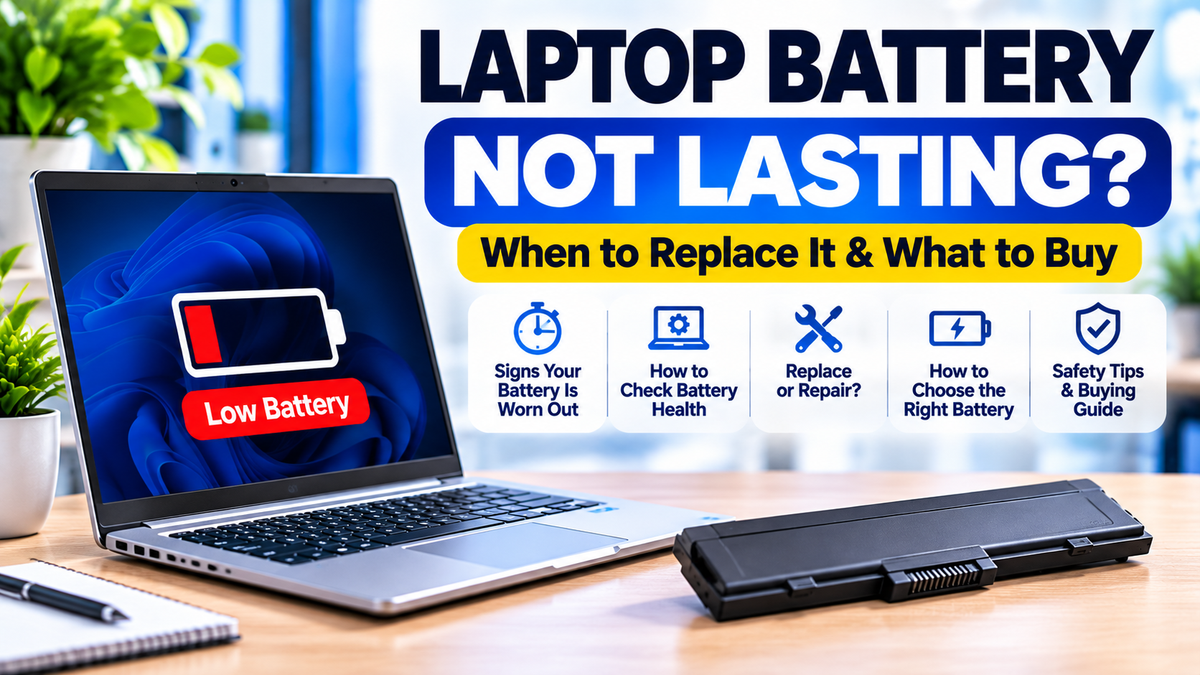
Your laptop battery used to last four or five hours, but now it barely lasts 30 minutes. Sometimes the laptop switches off unexpectedly, even when the battery indicator shows 20% or 30% remaining.
Does this mean you need to buy another laptop?
Not necessarily. A weak laptop battery can often be replaced without replacing the entire computer.
However, not every charging or battery problem is caused by a faulty battery. Sometimes the problem is the charger, charging port, software, or another internal component.
For students, remote workers, business owners, and professionals in Nigeria, reliable battery performance is especially important when electricity is unavailable or when working away from a power socket.
In this guide, you'll learn how to recognise a failing laptop battery, check battery health, identify the correct replacement, understand battery replacement costs in Nigeria, and decide whether repairing your laptop is worth it.
1. How Long Should a Laptop Battery Last?
There is no single battery runtime that applies to every laptop.
Some laptops can operate for several hours on a full charge, while others consume significantly more power because of their processors, displays, graphics hardware, and workloads.
Battery runtime depends on several factors:
- Battery capacity: Larger batteries generally store more energy.
- Battery condition: Older batteries may retain less capacity than when new.
- Screen brightness: Higher brightness can increase power consumption.
- Processor and graphics: Demanding applications can consume more electricity.
- Background applications: Multiple running programs can reduce battery runtime.
- Wireless connections: Wi-Fi, Bluetooth, and connected accessories can affect power usage.
- Power settings: Performance modes can influence battery consumption.
For example, a laptop may last several hours while typing documents but discharge much faster during video editing, gaming, or intensive multitasking.
Therefore, a laptop lasting two hours does not automatically mean its battery is defective. Compare its current performance with its previous behaviour and expected capacity.
2. Seven Signs Your Laptop Battery May Need Replacement
1. Battery Drains Much Faster Than Before
One of the clearest warning signs is a noticeable reduction in battery runtime.
If your laptop previously lasted four hours under similar usage conditions but now lasts only 30 minutes, its battery may have lost a substantial amount of capacity.
However, increased power consumption from new software, background processes, or settings can also contribute to faster discharge.
2. Laptop Switches Off Unexpectedly
If your laptop suddenly switches off while the battery indicator still shows a significant charge, the battery may no longer deliver stable power.
This can happen when the battery is deteriorating, although other hardware and software faults may produce similar symptoms.
3. Battery Percentage Drops Suddenly
For example, the battery indicator might fall from 60% to 25% within a few minutes.
Unexpected percentage changes can indicate inaccurate charge reporting, reduced capacity, or battery-related faults.
4. Laptop Only Works When Plugged In
If the laptop shuts down immediately when you disconnect the charger, the battery may be unable to power the computer.
Possible causes include a failed battery, disconnected battery, or problems with the internal power system.
5. Battery Refuses to Charge
A laptop that remains at 0% or displays a charging warning may have a battery problem.
However, a faulty charger, damaged charging port, incompatible power adapter, or charging circuitry issue can produce the same symptom.
6. Battery Health Has Declined Significantly
Battery health represents how much capacity the battery retains compared with its original design capacity.
A battery with substantially reduced capacity will generally provide less runtime under similar conditions.
7. Battery Is Swollen
A swollen battery is a safety concern, not merely a battery-life problem.
Possible warning signs include:
- The laptop's bottom cover lifting or separating.
- The touchpad being pushed upward.
- The keyboard or chassis becoming distorted.
- The laptop no longer sitting flat on a table.
3. Laptop Battery Problems and Their Possible Causes
| Problem | Possible cause | Recommended action |
|---|---|---|
| Battery drains quickly | Battery wear or high power usage | Check battery health and running applications |
| Plugged in, not charging | Charger, settings, battery, or charging circuit | Verify charger and charging settings |
| Laptop shuts down unplugged | Battery or internal power fault | Professional diagnosis |
| Battery percentage jumps | Charge reporting or battery deterioration | Check report and actual runtime |
| Laptop becomes unusually hot | Heavy workload, cooling issue, or battery fault | Check ventilation and seek inspection if abnormal |
| Battery swelling | Damaged or failing battery | Stop using and charging; professional replacement |
These symptoms can have more than one cause. A proper diagnosis is important before purchasing replacement parts.
4. How to Check Laptop Battery Health on Windows
Windows includes a built-in battery report that provides useful information about battery capacity and usage.
Step 1: Open Command Prompt
Click the Start menu and search for Command Prompt.
Open it, using administrator permissions if required.
Step 2: Generate the Battery Report
Enter the following command:
Press Enter.
Windows will generate an HTML battery report and display the location where it was saved.
Step 3: Open the Report
Open the generated report in your browser.
Look for:
- Design Capacity: The battery's original rated capacity.
- Full Charge Capacity: The amount of energy the battery can currently store when fully charged, as reported by the system.
- Cycle Count: The number of equivalent full charging cycles, where available.
- Battery Capacity History: How the reported capacity has changed over time.
Step 4: Calculate Battery Health
Use this formula:
For example, suppose your battery report shows:
- Design Capacity: 50,000 mWh.
- Full Charge Capacity: 35,000 mWh.
Your estimated battery health would be:
35,000 ÷ 50,000 × 100 = 70%
This suggests the battery currently retains approximately 70% of its original rated capacity.
Remember that battery reports are estimates. Actual battery behaviour and diagnostic results also matter.
For a more detailed explanation, read our existing guide:
How to Check Laptop Battery Health Before Buying a Used Laptop in Nigeria →
5. What Battery Health Percentage Means You Need a Replacement?
There is no universal percentage at which every laptop battery must be replaced.
However, the following practical ranges can help you evaluate battery condition.
| Estimated battery health | General interpretation | What to consider |
|---|---|---|
| 90–100% | High retained capacity | Replacement usually unnecessary based on capacity alone |
| 80–89% | Generally good retained capacity | Assess actual runtime |
| 70–79% | Noticeable capacity reduction | Consider replacement if runtime is insufficient |
| Below 70% | Substantial capacity reduction | Replacement may offer meaningful improvement |
These are general buying guidelines, not official manufacturer replacement thresholds.
A battery with 75% health may still be adequate for someone working beside a power socket, while another person may need replacement because they spend hours away from electricity.
Replace a battery based on its condition, safety, and whether it meets your practical needs—not on percentage alone.
6. Laptop Plugged In but Not Charging: Is the Battery Faulty?
Not necessarily.
When a laptop displays "Plugged in, not charging," the problem may involve the battery, charger, charging port, power settings, or internal charging components.
Check the Charger
Confirm that you're using a compatible charger with the correct voltage, connector, and adequate power output.
For USB-C charging, the charger and laptop must support compatible USB Power Delivery requirements.
Check the Charging Port
Inspect the charging port for visible damage or a loose connection without inserting objects into it.
A damaged port may prevent reliable charging.
Check Battery Charge Limits
Some HP, Dell, Lenovo, and other laptops include battery-preservation settings that intentionally stop charging at a selected percentage.
For example, a laptop may stop charging near 80% because a battery protection setting is enabled.
This does not automatically mean the battery is defective.
Check for Overheating
Some laptops temporarily limit charging when battery temperature is outside the supported operating range.
If the laptop is unusually hot, stop demanding tasks and allow it to cool in a safe, well-ventilated environment.
Seek Professional Diagnosis
If the charger and settings appear correct but the laptop still refuses to charge, professional testing may be needed.
Before replacing the battery, it is important to rule out other faults.
Related guide: Explore compatible laptop chargers at Shopinverse →
7. How Much Does Laptop Battery Replacement Cost in Nigeria?
Laptop battery replacement prices in Nigeria vary depending on the brand, model, battery specifications, availability, and whether professional installation is required.
Some replacement batteries are relatively affordable, while batteries for premium ultrabooks and specialised laptops may cost more.
The total replacement cost may include:
- Price of the compatible battery.
- Installation labour, where applicable.
- Diagnosis of any charging-related fault.
- Additional repairs if the charging system is damaged.
For illustration, Shopinverse has listed the following replacement batteries:
| Replacement battery | Example listed price |
|---|---|
| HP EliteBook 840/830/735/745 G5/G6 and selected ZBook 14u G5 configurations | ₦28,500 |
| Dell Latitude E7270/E7470 | ₦35,000 |
| Dell Latitude 7280/7290/7380/7390/7480/7490 | ₦38,500 |
These are example listed prices, not guaranteed current quotations. Battery variants, compatibility, stock, and prices should be confirmed before purchase. Installation charges may be separate.
Browse Laptop Batteries and Replacement Parts at Shopinverse →
8. How to Choose the Correct Replacement Laptop Battery
One of the biggest mistakes buyers make is assuming that batteries from laptops with similar names are interchangeable.
For example, two HP EliteBook models may look almost identical but require different battery assemblies.
Before ordering a replacement battery, check the following:
1. Exact Laptop Model
Identify the full laptop model and generation.
Examples include:
- HP EliteBook 840 G5.
- HP EliteBook 840 G6.
- Dell Latitude 7480.
- Dell Latitude 7490.
Do not assume compatibility based only on the brand or screen size.
2. Original Battery Part Number
Where available, identify the battery's manufacturer part number.
This can help you match the replacement to the original component.
The part number may be printed on the battery or available through manufacturer service documentation.
3. Battery Voltage
Replacement batteries must meet the laptop manufacturer's electrical compatibility requirements.
Do not choose a battery simply because its connector appears to fit.
4. Battery Capacity
Battery capacity is commonly expressed in watt-hours (Wh).
For example, a 50Wh battery can theoretically store more energy than a 40Wh battery, but actual runtime depends on the laptop's power consumption.
A higher-capacity replacement is only appropriate if the manufacturer supports that specific battery variant and it physically and electrically fits the laptop.
5. Connector and Physical Design
Check the connector position, battery dimensions, mounting points, and cable arrangement.
Some laptops have multiple battery variants within the same model family.
6. Internal vs Removable Battery
Some older laptops use batteries that can be removed externally.
Many modern business laptops use internal batteries that require the bottom cover to be opened.
For internal batteries, professional installation is often the safer option.
9. HP Laptop Battery Replacement in Nigeria
HP EliteBook and ProBook laptops are widely used by students, professionals, and businesses in Nigeria.
Over time, their batteries may lose capacity through normal ageing and charging cycles.
Shopinverse offers replacement batteries for selected HP laptop models.
HP EliteBook 840 G5/G6 and Related Models
Shopinverse lists a replacement battery for selected configurations of:
- HP EliteBook 840 G5 and G6.
- HP EliteBook 830 G5 and G6.
- HP EliteBook 735 G5 and G6.
- HP EliteBook 745 G5 and G6.
- HP ZBook 14u G5.
Compatibility should be confirmed using the exact battery part number and laptop configuration.
View HP EliteBook Replacement Battery →
Other HP Laptop Batteries
Replacement batteries may also be available for other EliteBook, ProBook, and ZBook models.
Check the product listing or search by the exact model and battery part number.
10. Dell Laptop Battery Replacement in Nigeria
Dell Latitude laptops are another popular choice for business and professional use.
Like other rechargeable batteries, their battery capacity gradually decreases with age and use.
Shopinverse lists replacement batteries for selected Dell Latitude models, including:
- Dell Latitude E7270 and E7470.
- Dell Latitude 7280 and 7290.
- Dell Latitude 7380 and 7390.
- Dell Latitude 7480 and 7490.
Some Dell Latitude models support different battery configurations, so confirm the exact part number before purchasing.
Browse Dell Latitude Replacement Batteries →
11. Original vs Compatible Laptop Batteries: Which Is Better?
When buying a replacement battery, you may encounter genuine manufacturer batteries and third-party compatible batteries.
Genuine Manufacturer Batteries
These are batteries supplied or authorised by the laptop manufacturer for supported devices.
They generally offer clearer manufacturer compatibility information, although availability and pricing can vary.
Third-Party Compatible Batteries
These are batteries manufactured by other companies for specific laptop models.
A properly designed compatible battery may be a practical replacement option, but quality and reliability vary significantly between manufacturers.
What Should You Consider?
- Verified compatibility with the laptop.
- Battery manufacturer and product quality.
- Correct electrical specifications.
- Safety and protection circuitry.
- Seller reputation and warranty terms.
- Accurate product description and condition.
Avoid batteries with unclear specifications, misleading capacity claims, damaged packaging, or signs of physical deterioration.
Also remember that an advertised "original" label does not independently prove that a battery is genuine.
12. Should You Replace the Battery or Buy Another Laptop?
Not every laptop with a weak battery needs to be replaced.
If the computer is otherwise functioning properly, replacing its battery may be significantly less expensive than purchasing another laptop.
When Battery Replacement Makes Sense
- The laptop still performs your everyday tasks comfortably.
- The screen, keyboard, and motherboard are in good condition.
- A compatible replacement battery is available.
- The total repair cost is reasonable.
- The laptop supports the software you need.
When Buying Another Laptop May Be Better
- The laptop is already too slow for your work.
- Several major components are failing.
- Replacement parts are difficult or expensive to obtain.
- The laptop no longer supports essential applications.
- The total cost of necessary repairs approaches the price of a suitable replacement computer.
For example, if your laptop only needs a reasonably priced battery, replacement may be worthwhile.
However, if it also requires a new screen, motherboard repairs, and a storage upgrade, comparing the total repair cost with another laptop may be more sensible.
Explore Business Laptops at Shopinverse →
13. Why Battery Life Matters More for Many Nigerian Laptop Users
Reliable laptop battery performance can be particularly important when electricity supply is inconsistent.
Consider these common situations:
Students
A student may need a laptop for lectures, assignments, research, and online classes without guaranteed access to a charging socket.
Small Business Owners
A business owner may depend on a laptop for sales records, inventory, invoices, customer communication, and accounting.
A reliable battery can help maintain productivity during temporary power interruptions.
Remote Workers
Freelancers and remote professionals may need to work during electricity outages or while travelling.
Content Creators
Video editing, graphics applications, and other demanding tasks can consume substantial power.
For creators, battery capacity and actual workload are both important.
The right battery performance depends on how and where you use your laptop.
14. How to Make Your Laptop Battery Last Longer
Although battery ageing cannot be completely prevented, good usage habits may help preserve battery condition.
Reduce Unnecessary Heat
Keep the laptop's ventilation openings clear and avoid using it on surfaces that block airflow.
Excessive heat can accelerate battery deterioration.
Use a Compatible Charger
Use a charger with the correct specifications and adequate power output.
Unreliable or incompatible charging equipment can create charging problems.
Enable Battery Protection Features
Some laptops provide manufacturer-supported battery charge limits or battery-health management settings.
These features can reduce prolonged exposure to very high charge levels when supported and appropriately configured.
Adjust Power Settings
Reduce screen brightness when practical, close unnecessary applications, and use suitable power-saving settings.
Avoid Repeated Deep Discharge
Do not deliberately run the battery completely flat as a routine maintenance practice.
Modern lithium-ion batteries generally do not require repeated full discharge cycles.
Store the Laptop Properly
If you will not use the laptop for an extended period, follow the manufacturer's battery storage recommendations.
Avoid extreme temperatures and unsuitable storage conditions.
15. Can You Replace an Internal Laptop Battery Yourself?
Some laptop batteries are easy to replace, while others require substantial disassembly.
Internal battery replacement may involve removing the bottom cover, disconnecting the battery cable, and handling sensitive components.
Incorrect handling can damage connectors, cables, or other internal hardware.
If you are not experienced with laptop repairs, professional installation is recommended.
Never attempt to remove a swollen battery by forcing it out of the chassis.
16. Frequently Asked Questions About Laptop Battery Replacement
How do I know if my laptop battery needs replacement?
Common signs include significantly reduced runtime, unexpected shutdowns, unstable battery percentage readings, and confirmed battery faults. Check battery health and rule out charging-related problems before replacing it.
How much is a laptop battery in Nigeria?
Prices vary by laptop model, battery specifications, availability, and brand. Check current product listings for an accurate price and confirm whether installation is included.
Can I replace my HP laptop battery?
Many HP laptops support battery replacement, although the process varies by model. Some batteries are externally removable, while others are installed internally.
Can I replace my Dell Latitude battery?
Yes, many Dell Latitude laptops have replaceable batteries. Confirm the exact battery part number and laptop configuration before purchasing.
Is 70% battery health bad?
It indicates that the battery retains approximately 70% of its original rated capacity. Replacement may be worthwhile if the remaining runtime no longer meets your needs.
Can a bad charger damage a laptop battery?
Incompatible or defective charging equipment can cause charging problems and may create electrical or safety risks. Use properly specified, reliable chargers.
Can I use my laptop without a battery?
Some laptops can operate directly from a compatible charger without a battery, but this is model-dependent. Other laptops require a battery or may not operate normally without one.
Will replacing my battery make my laptop faster?
Usually, replacing the battery primarily improves portable runtime. However, some laptops may limit performance when the battery or power system cannot meet their requirements. Battery replacement does not upgrade the processor or RAM.
Can I use a higher-capacity laptop battery?
Only if the manufacturer supports a compatible higher-capacity battery variant. Voltage, connector, dimensions, mounting, and other requirements must match.
Where can I buy laptop replacement batteries in Nigeria?
Shopinverse offers replacement batteries for selected HP and Dell laptops, alongside other computer parts and accessories. Browse the Computer Parts collection to explore available products.
Final Verdict: When Should You Replace Your Laptop Battery?
If your laptop battery no longer lasts long enough for your daily work, replacement may be a practical solution.
But before spending money, check the battery's condition, confirm that the charger works correctly, and identify the exact replacement part.
If the laptop is otherwise reliable, replacing the battery may extend its useful life at a fraction of the cost of buying another computer.
If the laptop has several serious faults or no longer meets your performance needs, upgrading to another device may make more financial sense.
Remember: A weak battery does not automatically mean you need a new laptop. The right diagnosis and compatible replacement can save you money.
Looking for a Laptop Replacement Battery?
Shopinverse offers replacement batteries and computer parts for selected HP, Dell, and other laptop models.
Compare available products, confirm compatibility, and check the current specifications before ordering.
Editor's note: Battery condition, replacement compatibility, product availability, and prices vary by model. The prices mentioned are illustrative listings and may change. Seek professional assistance for swollen batteries, charging-system faults, and complex internal battery replacements.
Share: